


A CSV File Is Not a Whole Workbook

By OnelROR Editorial Team · November 17, 2026 · 3 min read
A file can reopen in a familiar spreadsheet grid without preserving everything that was in the workbook. CSV is useful for exchanging a table of data. It is a poor substitute for the editable workbook you still need.
One worksheet, different contents
Microsoft lists CSV as a text format that saves only the active sheet. A workbook with several tabs does not become a multi-sheet CSV just because you choose that extension. Its text-format guidance also warns that formatting is lost. [1]
Microsoft’s detailed CSV notes say that the text and values displayed in the active worksheet are saved, while formatting, graphics and objects are lost. If cells are displaying formulas, those formulas become text instead. Do not treat a CSV export as proof that the workbook’s calculation features survived. [2]
Diagram key: The workbook contains January and February. January is active, so this CSV export represents that sheet only. Keep the working workbook separately for continued editing.
Commas can belong inside a field
RFC 4180 describes a common CSV representation, while acknowledging differences between implementations. Fields are separated by commas, and a header row is optional. A field containing a comma is enclosed in double quotation marks. [3]
Our invented example has two columns: Item and Quantity. The record "Card, blue",3 means one item description containing a comma, followed by the quantity 3. The quotation marks keep Card, blue together as one field. They do not create a third column. This example explains the file’s structure; it is not an application screenshot or a universal import setting.
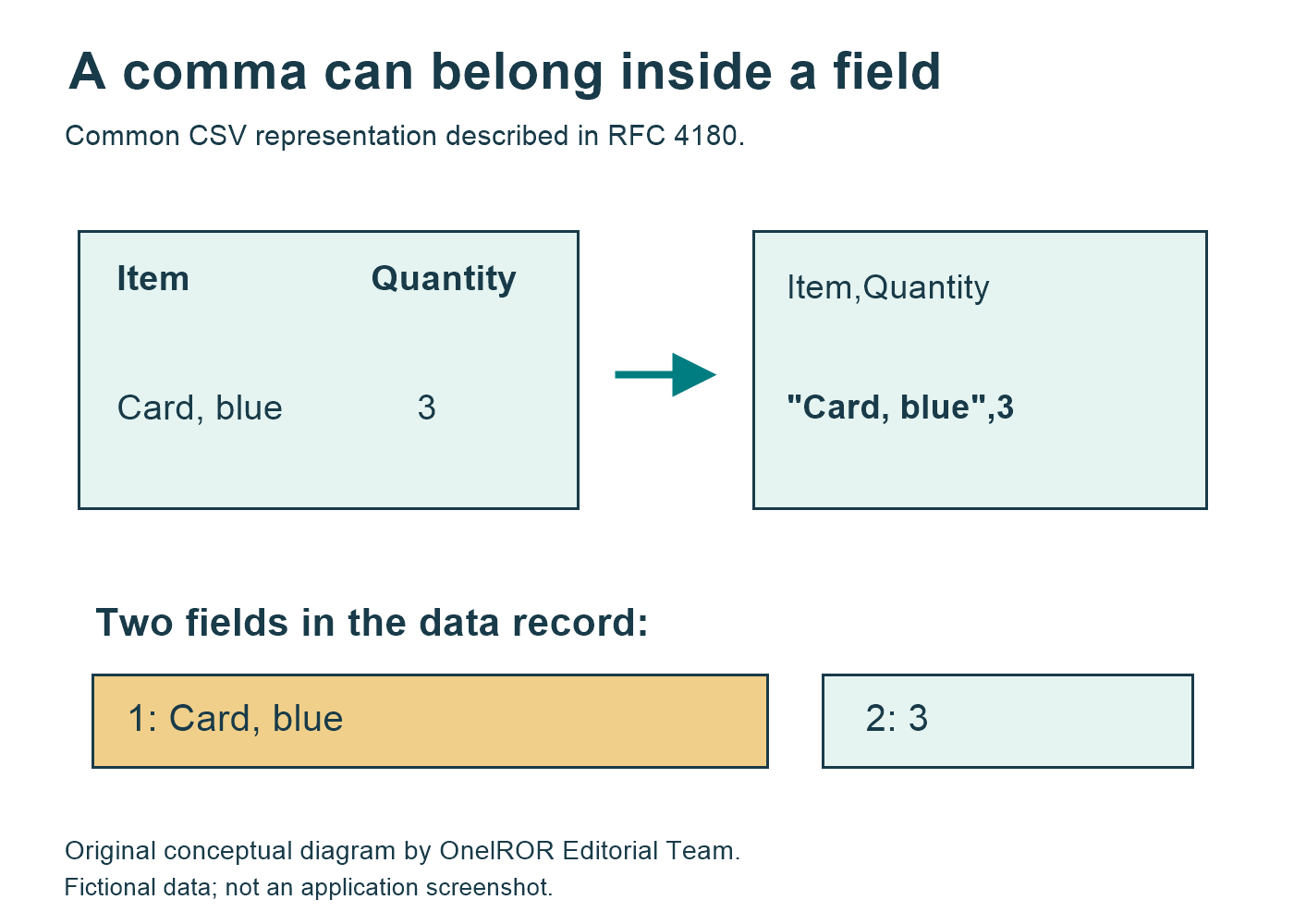
Diagram key: The header has two fields, Item and Quantity. In the record "Card, blue",3, the quoted first field is Card, blue and the second field is 3. The comma inside the quotation marks belongs to the description.
Keep the working file and check the export
Before exporting, preserve your working workbook in a format appropriate to its features. In desktop Excel for Microsoft 365, Excel 2024 or Excel 2021, Microsoft’s documented route is File > Save As, followed by choosing a location, file type and name. [1]
Give the export a distinct name and check the resulting table in the intended destination: the expected sheet, headings and field boundaries should still make sense. This is a practical check, not a guarantee that every application interprets CSV identically. Keep the workbook for continued editing and use the CSV for the particular exchange it was made for.
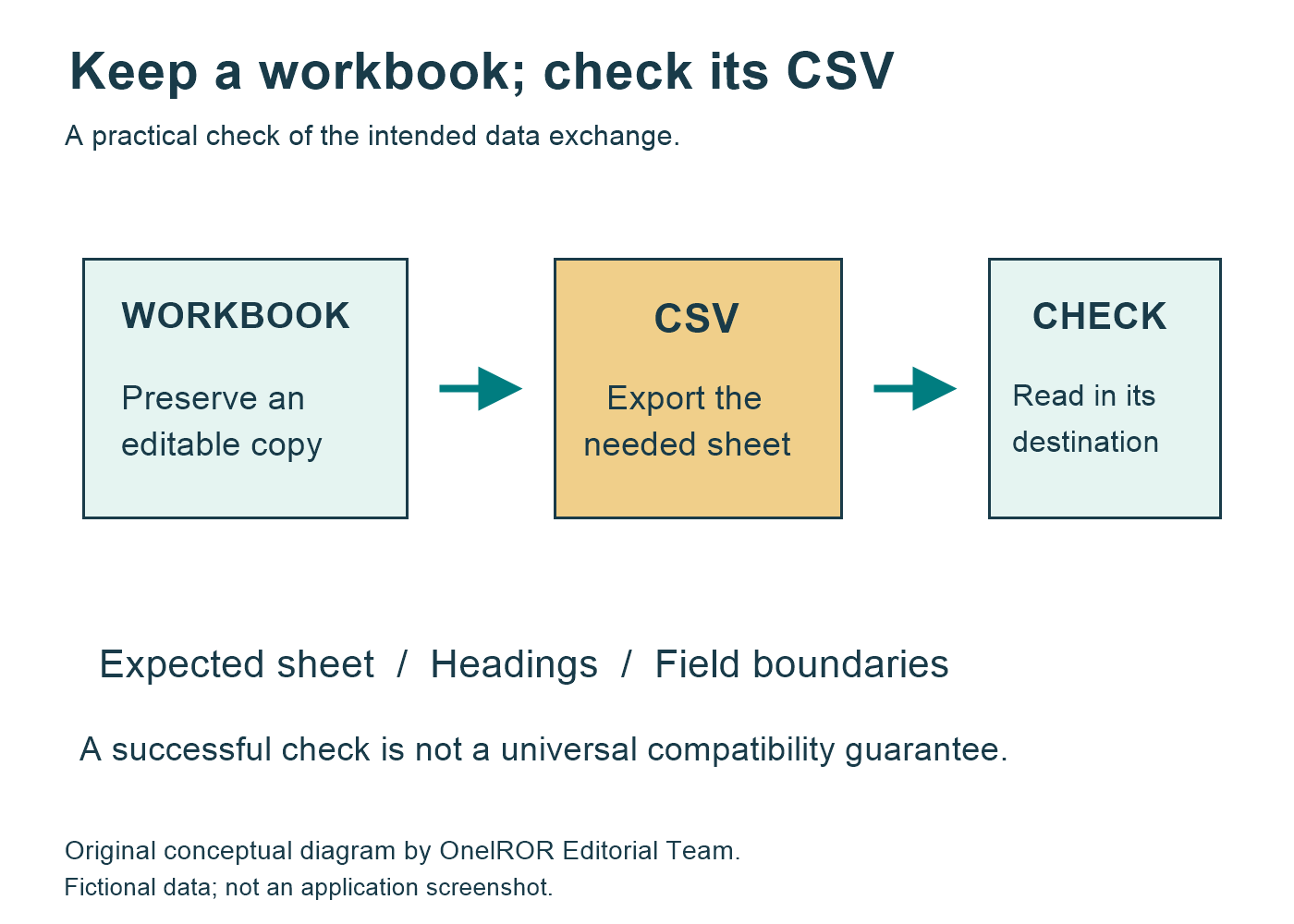
Diagram key: Keep an editable working file. Export the needed sheet, then check the expected sheet, headings and field boundaries in the intended destination. The check does not guarantee identical interpretation by every application.
Sources
- Microsoft Support — Save a workbook in another file format.
- Microsoft Support — Excel formatting and features that are not transferred to other file formats, CSV section.
- RFC Editor — RFC 4180, section 2 (informational, not an Internet standard).