


Lamicall Adjustable Phone Stand Guide: Desk Angles, Case Fit and Charging Space
Reviews & Guides · Shopping & Deals
Lamicall Adjustable Phone Stand Guide: Desk Angles, Case Fit and Charging Space
A phone stand is a small desk purchase, but the wrong one still becomes clutter. Angle, case thickness and charging clearance are the details that decide daily use.
By OnelROR Editorial Team · Originally published October 3, 2026 · Updated October 10, 2026 · Miami, EDT · 25 min read
This guide uses public product information and Amazon listing checks. It is not a hands-on lab test.
Best for: desk users who want a simple phone holder for calls, recipes, notifications or charging beside a laptop.
Consider another option if: buyers who need MagSafe charging, a car mount or a stand built for large tablets.
Affiliate disclosure: As an Amazon Associate, OnelROR may earn from qualifying purchases. We may receive a commission at no extra cost to you when you use our Amazon link. Prices, bundles and availability can change.
What this stand is for
Lamicall describes this as an adjustable cell phone stand for desktop use. The value is visibility and hand-free placement, not electronics. On Amazon, confirm the selected stand style and color because many similar Lamicall holders appear in search results.
Fit checks before checkout
A thick protective case or pop grip can change how securely a phone sits. Check the cradle depth, charging-cable opening and whether the stand supports portrait and landscape use. If the phone will be tapped often, weight and anti-slip pads matter more than the product photo.
Where it works best
Use it on a stable desk, kitchen counter or nightstand. Keep cable strain low and avoid placing the phone where it can be knocked off by a sleeve, book or pet. If video calls are the main purpose, test camera height before buying multiple stands.
Our assessment
This is a practical desk accessory when the case and cable fit. It is less useful if you really need charging or arm-style height adjustment. Verify the exact Amazon result, seller, return terms and included accessories before checkout.
Measure the complete phone setup
Lamicall’s page for this stand lists support for 4–8 inch smartphones and a maximum thickness of 14mm at the hook. Check those figures against the selected model rather than applying them to every Lamicall stand. Measure the phone with its case installed, including anything that projects from the back. A wallet attachment or grip can prevent the device from resting properly even when its screen size falls within the stated range.
Draw a simple outline of the stand’s proposed location on your desk. Make room for the phone, your hand and the charging connector. A support that fits physically can still be awkward if it sits behind a keyboard or blocks your view of another screen. Choose the position you will use every day before choosing a color.
Check camera framing and cable reach
For calls, open your camera preview with the phone propped at roughly the intended height. Notice whether the lens points too far upward or whether you must lean forward to remain in frame. A compact stand can improve stability without raising the camera to eye level. If height is the main problem, compare an elevated stand or adjustable arm before ordering.
Connect your usual charging cable and examine where its plug bends. Allow a relaxed path back to the charger rather than a taut cable pulling against the cradle. Check landscape use separately: rotating the phone changes both the balance and the connector location. This is particularly relevant when a charging cable crosses the desk where a hand, notebook or cup may catch it.
If the phone shares your workspace with a laptop and several accessories, make a separate port and power plan. Our UGREEN USB-C hub guide explains which host-device capabilities to check before adding a hub; a phone holder does not add ports or charging power.
Assess it when it arrives
On a level surface, place the phone in the stand and try normal taps with one hand ready to catch it. Check that the pads are present and the base does not rock. This is a fit inspection, not a durability test or evidence of a load rating. If adjustment requires more force than expected, consult the instructions rather than bending the holder experimentally.
Keep the receipt and packaging until you have tried the actual case, cable and viewing position. A stand earns its space when it makes a recurring task easier. If you keep moving it aside to work, its footprint or position may be unsuitable even though the product itself functions correctly.
Identify the stand before comparing specifications
Begin with the exact product page rather than the brand name alone. Lamicall sells several desktop holders with different shapes and adjustment mechanisms. The manufacturer page linked in the original article currently identifies model A-Black and its color choices. A photograph of another model is not a reliable specification sheet for this one, even when both listings use the phrase adjustable phone stand.
The manufacturer’s stated limits are a four-to-eight-inch smartphone range and a fourteen-millimeter maximum thickness at the hook. It also recommends landscape placement for larger phones. Those are published compatibility claims, checked for this update, rather than OnelROR measurements. They do not establish that an attached wallet, unusual case shape or every device within the diagonal range will seat securely.
Record the model, selected color and seller when comparing offers. A broad Amazon search can display a folding stand, a taller holder and this simpler cradle together. Open the individual listing and inspect its selected variant before using a dimension from the manufacturer page. If the two descriptions conflict, ask for clarification rather than combining whichever specification makes the purchase seem easiest.
Separate questions that can be answered online from questions that require the delivered item. Listed dimensions can rule out a clearly incompatible setup. They cannot demonstrate how a particular phone balances when tapped or how a cable boot meets the cradle. Keeping that distinction visible prevents a useful buying guide from becoming an unsupported promise about something the writer has not handled.
Measure the case and attachments as one object
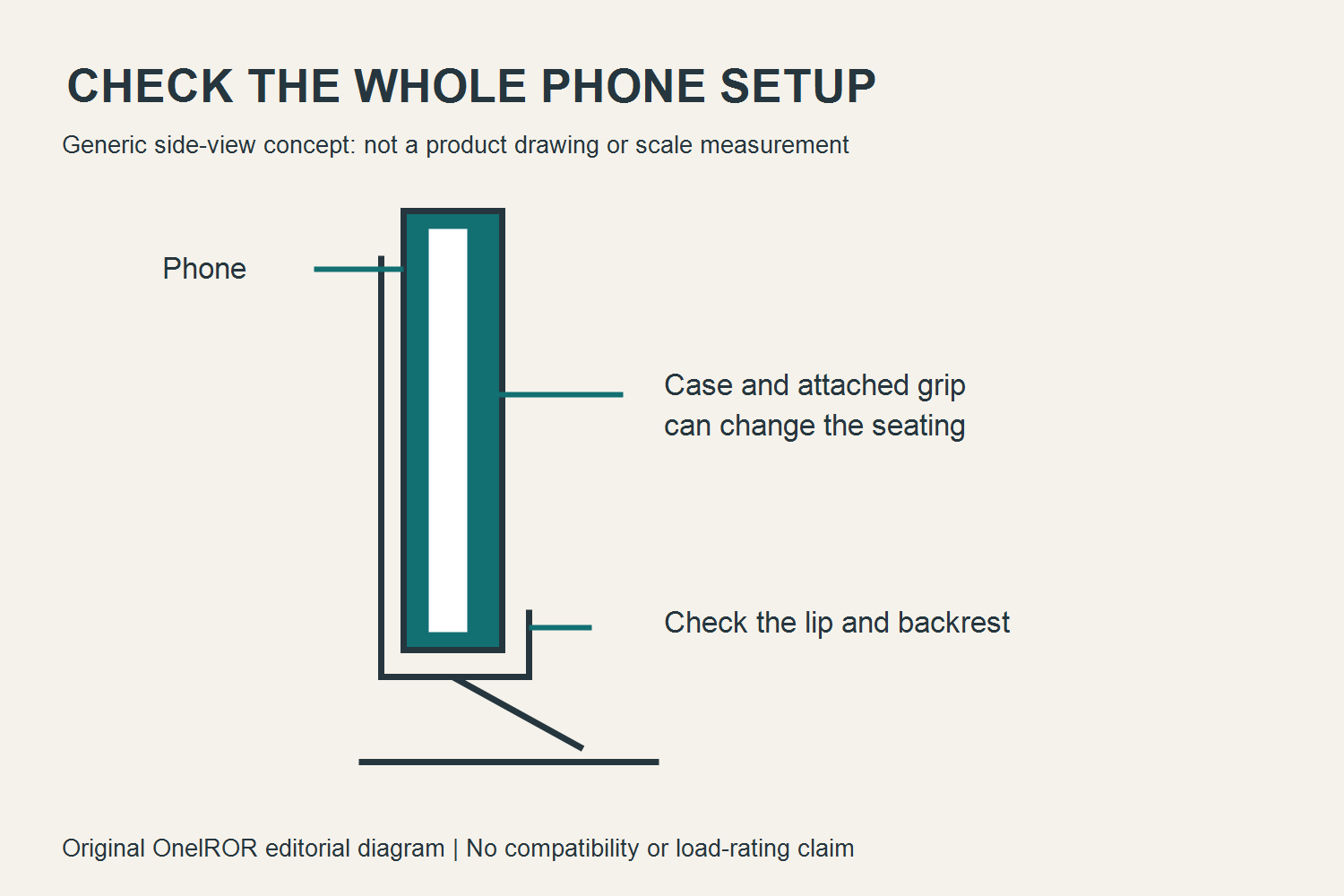
Measure the phone in the configuration you actually use. Put the case on, attach the grip or wallet if it normally stays attached, and identify the part that would meet the stand’s lower lip. A bare handset measurement answers a different question. Removing everything for checkout and reinstalling it afterward can leave the holder unable to support the everyday setup you intended to park there.
A ruler can help identify an obvious mismatch; calipers can help with a small clearance if you already own them. Avoid pressing a soft case flat just to obtain a favorable reading. You need its normal shape, including a raised edge or protruding attachment where the cradle would touch. Do not treat a rounded measurement at the listed maximum as spare room that has not been demonstrated.
Make a quick sketch of the lower edge and back of the setup. Mark the connector, speakers, case lip and any projecting grip. The sketch need not be attractive or technically precise. Its purpose is to reveal where contact could occur. A thick object halfway up the back may keep the phone away from the support even when the lower edge itself fits the hook.
If an attachment is removable, decide whether removing it each time is acceptable. That routine may be fine for a nightly charging place and frustrating for frequent desk use. Consider where the detached piece would go and whether you would remember to reinstall it. Compatibility that depends on a repeated extra step is a practical tradeoff, not the same experience as placing the phone directly in its usual case.
Check contact, seating and the lower lip
A phone should settle into the support instead of balancing on a tiny corner or on the charging connector. Inspect the lower contact area and the backrest together. A secure-looking base cannot make a poorly seated phone secure by itself. At delivery, keep one hand nearby while checking placement so an unexpected shift does not become a fall onto a hard floor.
Look for a case edge that catches on the lip before the handset reaches the backrest. Also check whether a projecting camera area or grip changes the resting angle. These are observations about your setup, not a recommendation to grind or bend the holder. If the intended contact points cannot meet comfortably, choose a compatible holder or an acceptable case arrangement rather than modifying the product experimentally.
Confirm that the pads supplied with the stand are present and appropriately positioned. Do not infer their condition from the seller’s photograph. A missing or displaced pad is a reason to consult the seller or instructions. Adding improvised layers may change the opening and seating geometry, so it should not be the first solution to a new item’s mismatch or an unexplained defect.
Distinguish holding from clamping. A desktop cradle that supports a resting phone is not automatically a restraint against a desk being bumped, a cable being pulled or a child reaching for the device. Use it where the supported object can remain undisturbed. If a task needs an actively secured device, compare equipment designed for that task instead of assuming a deeper lip provides a tested retention rating.
Give the phone a useful place on the desk
Choose the task and location before choosing a color. A notification display beside a laptop needs a different position from a camera used for a long call. Put a paper outline where the phone would sit and move your hands through normal work. The relevant space includes the handset and your movement around it, not only the advertised footprint of the stand’s base.
Check the path of the mouse hand, a notebook being opened and papers being moved across the desk. A holder can fit between objects while still interrupting these movements. Leave a clear place to pick up the phone without reaching over a drink. If the space becomes crowded after adding a charger and cable, reconsider the position before assuming a smaller base will resolve every obstruction.
Treat the desk edge as a boundary to stay away from rather than useful spare space. Consider what happens when a sleeve, chair arm or drawer catches a cable. Put the stand on a level, stable surface where the phone can be retrieved easily. A narrow ledge beside a monitor may look tidy in a photograph while providing little margin for an ordinary interruption.
Try the proposed location during both the main task and the cleanup that follows it. A phone parked beside a keyboard may be convenient while reading and awkward when the keyboard is moved. A shared desk may need a marked home position or a portable arrangement. The useful placement survives the day’s real transitions instead of working only while every other object stays perfectly still.
Match viewing height to the task
A tilt adjustment changes the direction the screen faces; it does not necessarily raise the camera. Decide whether you need a more readable screen, a higher lens or both. If the main frustration is looking upward at a low camera during calls, a simple angled cradle may leave that problem largely unchanged. Compare an elevated support using its actual height information before buying additional units.
OSHA’s workstation guidance considers screen position together with the chair, desk and other equipment. That is a useful check against treating one accessory as a complete ergonomic solution. Its monitor recommendations describe a computer workstation, not a specific phone stand. Do not copy a desktop-monitor distance onto a small phone and present it as a medically validated setting for this product.
For a short reading task, place the phone where the text is legible without repeatedly leaning forward. Increase text size within the app when helpful, then reassess the position. For sustained work, notice whether you keep turning toward a side display. Changing the task arrangement or using a larger screen may address the problem more directly than tilting the small display farther backward.
Choose a position that works for the person using it rather than a universal angle from a promotional image. Seated height, glasses, desk depth and the application all affect the practical result. If a setup remains uncomfortable, review the wider workstation and obtain appropriate help for persistent symptoms. A buying decision can improve convenience without requiring an unsupported claim that the stand prevents an injury.
Make a camera preview part of the fit check
Before an important call, use the application’s own camera preview to see the frame. Check the lens you intend to use and the orientation the app expects. A portrait preview may not represent the view after rotation. Notice whether the stand or a case edge enters the frame, and whether a camera opening remains unobstructed when the phone settles fully into its support.
Look at the background as well as your face. A higher or differently angled camera can reveal paperwork, a window or another person that was outside the previous frame. Remove private material from view before joining a meeting. This is a placement check, not a reason to grant the browser or an unfamiliar app new permissions just to test a stand. Use an already authorized application.
Arrange light so the camera can show the subject without asking you to lean into a bright source. A strong window behind you may change the image, while a lamp reflected in the screen can make controls harder to see. Adjust the room or device position first. Do not assume that an accessory described as a video-call stand includes lighting or camera features.
Check audio in the intended position using a suitable test function or a brief authorized call. The stand does not guarantee microphone performance. A case, support lip, distance from your mouth or nearby fan can affect what the application captures. If the setup is inconvenient for calls, separate the need for a holder from a possible need for different audio equipment before spending money on both.
Leave space for the charging connector
Plug in your usual cable while the phone rests in the proposed orientation. Examine the whole connector, including its molded housing and strain relief. A connector that fits the port may still collide with the cradle or desk. The phone should not be lifted out of its intended seating position merely to make the plug reach, and the plug should not become the support bearing its weight.
Leave relaxed cable slack near the phone rather than a taut line back to the charger. Move the device through its normal small adjustments and watch the connector. If the cable pulls the handset sideways, changing the route may help. If the housing physically cannot clear the support, a different compatible arrangement may be needed. Extra cable length does not resolve a blocked connector at the cradle.
Inspect portrait and landscape charging separately. The port changes position when the device turns, and a case opening can restrict how the connector approaches it. A right-angle connector is not automatically the answer: its direction and housing dimensions still matter. Avoid buying another cable solely from a picture that does not show the clearances you need, and follow the device manufacturer’s charging requirements.
Keep charging performance separate from the stand’s mechanical job. A passive holder has no charging output to measure. If the battery charges slowly or a warning appears, examine the phone, cable, adapter and conditions using their official guidance. A stand can improve where the phone sits while leaving an unrelated electrical problem untouched. Do not turn a placement accessory into an explanation for every charging behavior.
Route cables away from moving hands
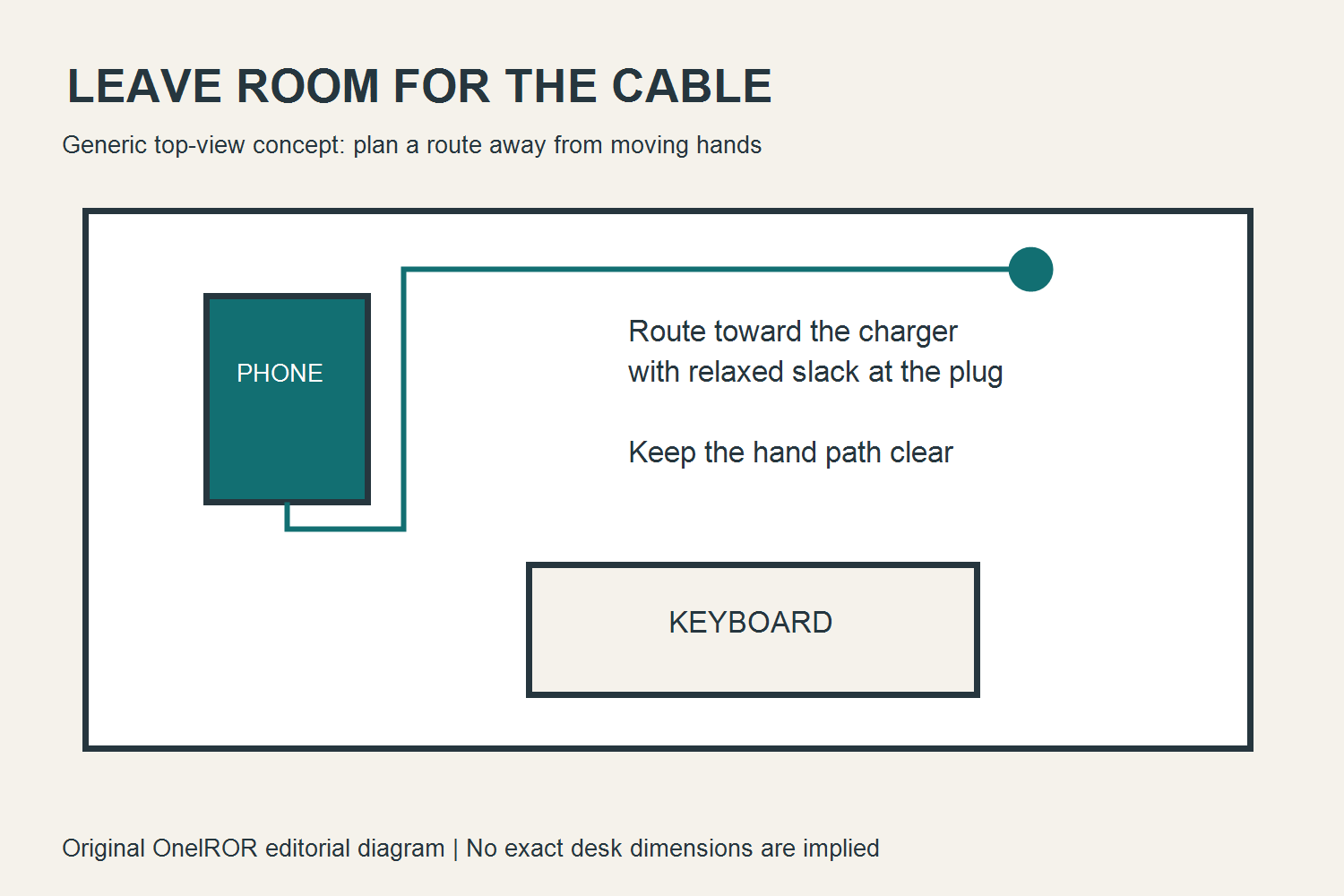
Trace the cable from the port to the charger and identify every moving object it crosses. A neat straight route through the mouse area may be less useful than a slightly longer route behind the keyboard. Check drawers and chair movement too. The original diagram illustrates this planning step; its shapes are generic and provide no dimensions for the actual Lamicall product or your desk.
Avoid hanging a heavy adapter or an unsupported bundle from the phone’s connector. Keep connectors accessible enough to inspect and disconnect normally. If using cable organizers, follow their intended use and avoid clamping a lead sharply. A route should reduce accidental pulling without making removal awkward. The goal is a comfortable service loop and a clear workspace, not tightly fastening every centimeter of wire.
If a laptop moves between rooms, decide which part of the setup moves with it. Disconnect deliberately rather than dragging the connected phone behind it. A small desk holder can be overlooked when packing up quickly. Give the phone, cable and charger distinct places in your departure routine so retrieving one object does not unexpectedly pull another off the desk.
Recheck the route after rearranging the workstation. A new monitor, a different charger or a replacement keyboard can change where the cable travels. You do not need a formal installation project for a phone stand, but a quick check after a change is useful. The setup is only as convenient as its current arrangement, not the arrangement that happened to work when the holder first arrived.
Evaluate ordinary taps without inventing a load test
On a level surface, try the touches the task actually requires with a hand ready to catch the device. Opening a timer is different from typing a long message or swiping rapidly through a game. Notice whether the handset moves within the cradle, the stand shifts on the desk or the whole setup rocks. Each observation points to a different issue and should be described separately.
Do not press harder and harder to discover a supposed breaking point. That would not produce a reliable product rating, and it could damage the phone or stand. This guide proposes a normal-use fit inspection. It does not supply test equipment, a repeatable force method or measured stability results. If you need certified capacity or restraint, seek specifications for equipment designed to provide it.
If the base shifts during a normal touch, first examine the surface and pads. A soft desk mat, dusty contact area or uneven furniture can change the result. Follow the product’s instructions when checking its condition. Do not claim that a stand will become stable on every surface after adding a household adhesive, especially if the modification could damage the desk or alter the item’s return eligibility.
Some tasks are better done with the phone in your hand or with a separate input device. A holder that works well for viewing may not be convenient for lengthy typing. That is a limitation of the task arrangement, not necessarily a defective product. Use the inspection to decide whether the holder supports the intended routine instead of trying to make one accessory satisfy every form of phone use.
Separate orientation from application behavior
A phone that rests horizontally can still show an application in portrait mode. Check orientation lock and the application’s supported layout before attributing the result to the stand. A mechanical holder cannot rotate software that does not support rotation. Likewise, a video service may crop or letterbox an image differently after turning the device. Evaluate the actual task rather than only the appearance of the home screen.
Check access to side buttons and any gesture area near the lower edge. A case can add clearance in one place and remove it in another. If the support lip covers a control you use often, decide whether picking up the phone each time is acceptable. Do not force a button against the cradle or assume that a convenient orientation for watching video will also suit camera operation.
When notifications are the purpose, consider what will be visible to other people nearby. A stand can make messages easier to read from across a desk as well as easier for you. Use the phone’s existing privacy and notification settings according to your needs. Positioning a screen thoughtfully is part of arranging a shared workspace, even though the stand itself has no software or account access.
Try the two orientations during the task’s full sequence. For example, a call may begin vertically, rotate for shared content and end with typing a message. If changing orientation means unplugging the cable or moving the holder every time, include that inconvenience in the comparison. Compatibility is most useful when it covers the transitions you repeat, not just a single successful resting position.
Use the kitchen location deliberately
For recipes or timers, choose a counter position away from heat, splashes and active preparation. Keep the phone where the display can be seen without reaching across a hot pan. The stand is a desktop accessory, not evidence that the device is protected against water or cooking conditions. A readable screen beside the work area is more useful than a dramatic placement directly beside a burner.
Decide how you will advance the recipe before your hands become messy. Use the application’s existing hands-free functions if appropriate, or clean and dry your hands before touching the device. A support does not remove the need to keep raw ingredients away from things later used during serving. Arrange the phone and cable so they do not cross the area where knives, bowls and ingredients move.
Keep the charger and its connections away from liquids and follow their instructions. Do not hide an adapter behind an appliance simply because that produces a cleaner photograph. Think about how you would unplug it safely and how the lead passes the counter edge. If the layout forces a cable across a sink or cooking zone, choose another location rather than treating the stand as a solution to the route.
After cooking, inspect the setup before returning it to a desk or packing it away. Follow the phone and stand manufacturers’ cleaning instructions; do not assume one cleaning product is suitable for both. If spills or grease are frequent, a different viewing method may be more practical. The purchase should make following the recipe easier without adding a recurring cleaning problem you had not considered.
Plan a quiet, accessible bedside arrangement
At a nightstand, the useful position may differ from the desk position. Check the phone’s reach from bed, the cable’s route and whether a lamp or book interferes with retrieval. Avoid placing the supported handset at the edge where a sleepy reach could knock it down. A stable resting place should be easy to identify without requiring you to navigate several loosely stacked objects.
Decide whether the screen should face you, face away or remain off until needed. A stand can make an illuminated display conspicuous. That does not establish a health claim about sleep, but it is a practical reason to consider the phone’s existing display and notification behavior. Test the actual alarm and screen arrangement before relying on a newly configured bedside setup for an important morning.
Keep the cable out of the walking route and away from moving furniture. A nightstand drawer can catch a lead that seemed tidy while the drawer was closed. Ensure that retrieving the phone does not drag a charger or another object off the surface. If the charger must sit in an inaccessible position, reassess the arrangement using its instructions rather than extending the lead through an awkward path.
Use the stand on a suitable surface, not on bedding simply because it can hold a phone there briefly. Follow the device’s ventilation and charging guidance. A soft surface can also change how the base rests. The relevant buying question is whether the holder fits the actual furniture and routine; a product described as suitable for home use is not a specification for every bedside environment.
Do not turn a holder into a cooling claim
Apple’s temperature guidance, published May 14, 2026, explains that an iPhone can become warm during demanding activities and that temperature management can slow or stop charging. It advises avoiding extended direct sunlight. That guidance concerns the device and its conditions; it does not establish that this passive stand provides cooling performance or prevents temperature warnings. Other phones require their own manufacturers’ instructions.
Choose a location with the device’s operating requirements in mind. A desk in direct sun may be less suitable than another available position, especially when charging and using the camera. Do not infer a safe operating condition from the fact that the phone is raised above the surface. Exposure, workload, case and charging equipment remain relevant, and a stand’s metal appearance is not a tested heat-management specification.
If the phone displays a temperature warning, follow its official instructions rather than continuing solely because the device is supported securely. Mechanical stability and device temperature are separate checks. Avoid inventing a cooling routine involving water, a freezer or a household modification to the stand. The correct response belongs to the phone’s guidance, not to an accessory review that has not tested thermal behavior.
Record the conditions when investigating a recurring problem: task, charging arrangement, room location and any warning actually displayed. Keep observation distinct from diagnosis. A call that ends unexpectedly can have several explanations, and a warm case alone does not identify one. This helps you seek relevant support without blaming the holder for software, network or device behavior that the article cannot establish.
Distinguish this holder from a charging stand
A passive stand supports the phone while a separate cable and charger supply power. A charging stand combines support with electrical components and its own compatibility requirements. Decide which job you need before comparing prices. Paying less for a passive holder is not a useful saving if the intended routine requires a charging function that the selected item does not include.
For a magnetic arrangement, check the phone and case compatibility along with the charger’s requirements. A magnetic attachment and wireless charging are related features in some products but not identical promises. Do not add a ring or adapter on the assumption that it creates every function of a different system. Compare the complete product instructions rather than treating a familiar connector or circle on a photograph as sufficient evidence.
If the cable arrangement already works and you only need a clear view, a passive holder may avoid unnecessary complexity. If repeated connecting and disconnecting is the main inconvenience, compare a compatible charging arrangement as its own purchase. This guide does not rank unspecified chargers or recommend buying both. It identifies the decision so the accessory chosen addresses the inconvenience you actually want to remove.
Count every required component when comparing arrangements. A holder, cable and adapter may already be owned, or they may all be additional purchases. A bundled charging product may have its own included and excluded parts. Read those details on the selected listing and keep the receipt. A product photograph showing a phone and charger does not necessarily mean that either is included in the box.
Compare alternative supports by their specific job
A taller desk support can address camera height, while a clamp arm can move the device above part of the desk. Those alternatives introduce other checks, including mounting surfaces, reach and movement. Do not assume that more adjustment always means a better arrangement. A simple cradle may be sufficient for a stationary display, whereas another design may suit a task with frequent changes in position.
A car mount belongs to a different environment with its own installation and road-use requirements. This desktop holder should not be treated as a vehicle restraint because it happens to sit on a flat dashboard. Likewise, a support suitable for a small phone should not acquire a tablet capacity through visual similarity. Compare the specific intended device and mounting situation rather than broad brand familiarity.
For recording, distinguish an ordinary resting place from equipment designed to hold a camera at a controlled position. Think about whether you need repeatable framing, attachment security or room for an external microphone. A desktop phone holder can be useful in a simple recording setup, but this article supplies no precision positioning measurements. Equipment should be chosen around the recording task and its actual requirements.
If the main goal is reading for an extended period, a larger existing display may be more useful than another phone accessory. Consider whether the content can be viewed on equipment you already have without adding an account or subscription you do not need. The smallest purchase is sometimes no purchase at all. Make that decision before comparing decorative differences between holders that perform the same basic function.
Compare the total purchase without a stale price promise
Check the current individual listing rather than using a historical price as a checkout expectation. Note the exact variant, seller, shipping terms and included items. A search result can change between visits. This updated guide does not quote a price or claim a discount, because those details are not needed to explain the fit decision and may not describe the offer available to a particular reader.
Compare the complete amount you would pay and the parts you still need. A holder that requires a different compatible cable can cost more in practice than the displayed stand price. Conversely, a bundle can include accessories you do not need. List those differences plainly rather than treating a larger bundle as automatically better value or inventing savings against a price that has not been verified.
Read the seller’s current return conditions and the manufacturer warranty information for the actual purchase route. Do not assume that terms shown on the manufacturer’s own store apply unchanged to a different marketplace seller. Keep a copy of the order details and relevant instructions. The useful question is who will handle an unsuitable or defective item and what the stated process requires from you.
Avoid treating review totals as measured evidence about your setup. A customer may use a thinner case, another variant or a different task. Reviews can suggest a question to check, but a star average does not establish the clearance for your cable. The OnelROR assessment remains an information-based buying guide, not a hands-on comparison or a claim that the writer has replicated another buyer’s experience.
Inspect the delivered item before making it permanent
Open the package in a place where small parts and instructions can be kept together. Compare the item with the selected variant and check for obvious damage before placing the phone on it. Keep the packaging while assessing the fit. This is ordinary acceptance checking, not a stress test, and it should not require modifying the stand or the phone to see whether the purchase matches the order.
Read the supplied adjustment instructions before moving any joint. An adjustable description does not identify the safe direction, range or force for every design. If the mechanism behaves unexpectedly, stop and consult the seller or manufacturer. Bending a structural part until it resembles another product may damage it and does not provide reliable information about how the original item was intended to work.
Try the actual case, cable and application in the planned location. Start with viewing, then assess the normal taps and orientation changes the task requires. Keep the phone supported during an uncertain movement. If the arrangement passes one task but fails another, write down which one. A specific description makes a return decision or support question clearer than saying the accessory is simply good or bad.
Once the setup is satisfactory, give it a place that is easy to maintain. Put the instructions and order details somewhere retrievable, and keep the cable route simple enough to reproduce after cleaning. If you continually need to rearrange the desk to use the holder, reconsider whether it earns that space. An accessory’s practical value comes from a recurring task becoming easier, not from remaining on display.
Maintain the setup without promising a service life
Follow the supplied cleaning instructions and those for the desk surface. Remove the phone before cleaning the holder, and keep liquid away from charging equipment. Use an appropriate method for the particular material and finish instead of assuming every metal-looking object accepts the same solvent. The article offers no tested chemical compatibility, scratch resistance or coating durability beyond what the manufacturer actually documents.
Inspect contact pads and resting surfaces as part of ordinary cleaning. Notice whether a pad has moved or whether debris changes how the base sits. If an adjustment loosens or a structural part appears damaged, consult the product guidance before continued use. Do not compensate with a heavy object balanced on the base or an improvised repair that has not been checked for the intended load.
A new phone or case is a reason to repeat the fit inspection. Even when the screen size remains similar, the thickness, camera area, weight distribution and connector housing can change. A stand that worked with the previous setup has demonstrated only that previous fit. Retain the useful steps from the first inspection instead of allowing a familiar accessory to bypass the checks for a newly configured device.
No service-life figure is promised here. Product condition, handling and the environment vary, and OnelROR has not run a durability program. Decide whether to keep using the holder from its condition and instructions rather than an invented replacement interval. If it no longer supports the intended setup safely or conveniently, stop using that arrangement and consider repair support or a suitable alternative.
Troubleshoot one observation at a time
When the phone sits poorly, start with seating rather than charging speed. Remove unrelated objects from the area and examine where the case meets the lip and backrest. Then check orientation if the instructions permit it. Describe the observation precisely: the device leans away, rests on an attachment or cannot reach the support. That is more actionable than assuming the whole brand is incompatible.
When the stand moves, distinguish a sliding base from a rocking desk or a phone shifting inside the cradle. Check the contact surface and ordinary touch separately. If the problem persists under normal use, do not escalate the force to obtain a more dramatic result. Consult the product instructions and seller. A practical fit assessment should help decide whether to keep the item, not destroy it to prove dissatisfaction.
When a plug does not clear, check the connector housing, case opening and cradle separately. Make sure the cable is appropriate for the device. A different route can relieve pulling but cannot create a missing physical opening. Avoid shaving a case or forcing the connector into a bent position as the first response. A compatible accessory arrangement is preferable to damage caused by trying to preserve an unsuitable purchase.
When the view is awkward, check text size, camera framing and position as separate factors. Change one meaningful element and inspect the result before changing several others. If the necessary height or reach cannot be achieved, that is a reason to choose another support design. The troubleshooting goal is to identify the missing function, so the next decision is guided by a requirement rather than another attractive photograph.
Make a final decision from the complete routine
Before ordering, write one sentence describing the task: viewing a timer, joining calls, following a recipe or keeping a charging phone visible. Then list the requirements that matter for that task. Case clearance, lens height, connector space and a clear hand path are separate questions. A stand should be compared against those requirements instead of being called essential simply because it is small and inexpensive.
Keep the purchase when the delivered item matches the selected model, supports the normal phone setup and makes the recurring task simpler. Return or replace it through the applicable process when the fit or required function is unsuitable. You do not need to invent a defect to decide that a functioning holder is wrong for your desk. A clear reason is enough to guide the next comparison.
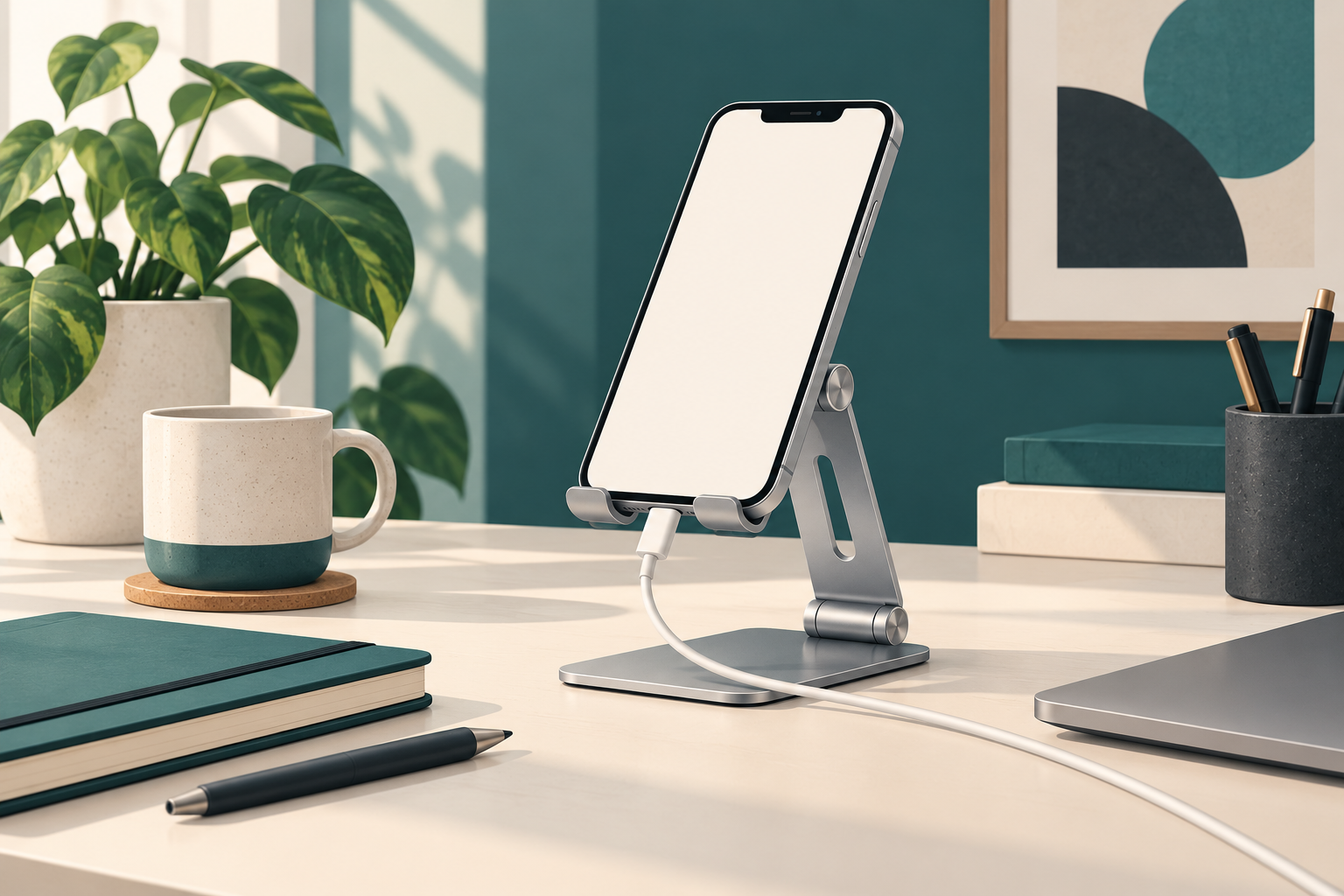
The original cover is an editorial illustration rather than a photograph of an exact product, and the two added diagrams are deliberately generic. They explain inspection and cable planning without presenting a measured geometry or a personal test. Use the written model-specific information and the delivered instructions for compatibility decisions. Neither a diagram nor a manufacturer photograph substitutes for checking the actual case and connector together.
This update keeps the original article’s URL, publication date, categories, cover and existing purchase links. The expanded assessment adds a practical inspection sequence and separates published product claims from editorial judgment. The useful outcome is a holder that earns its place through an everyday task becoming easier. If the task needs a different function, identify that function first and choose a complete arrangement that provides it.
Featured image: original editorial illustration, not a photograph of the exact stand.